How to Reverse-Engineer a Prompt from a Reference Image
When you like a reference image but do not know how to describe it, use AI to analyze the image, turn the analysis into a prompt, and generate a new result. This article documents the complete workflow.
How does this workflow work?
This workflow does not directly copy the source. It first translates the reference into visual information: subject, scene, composition, lighting, style, color, typography, and materials.
The resulting prompt remains editable. You can preserve composition and texture while changing the subject, environment, colors, or typography.
Step 1: analyze the reference image
Upload the reference to a vision-capable AI such as DeepSeek, then use the template below. It asks for spatial relationships, camera angle, lighting direction, and material qualities—not just object recognition.
Step 2: extract an actionable prompt
The reference below is a portrait assembled from torn newspapers and vintage posters. “Collage portrait” alone is not enough to reproduce its scale, layers, palette, or lighting.
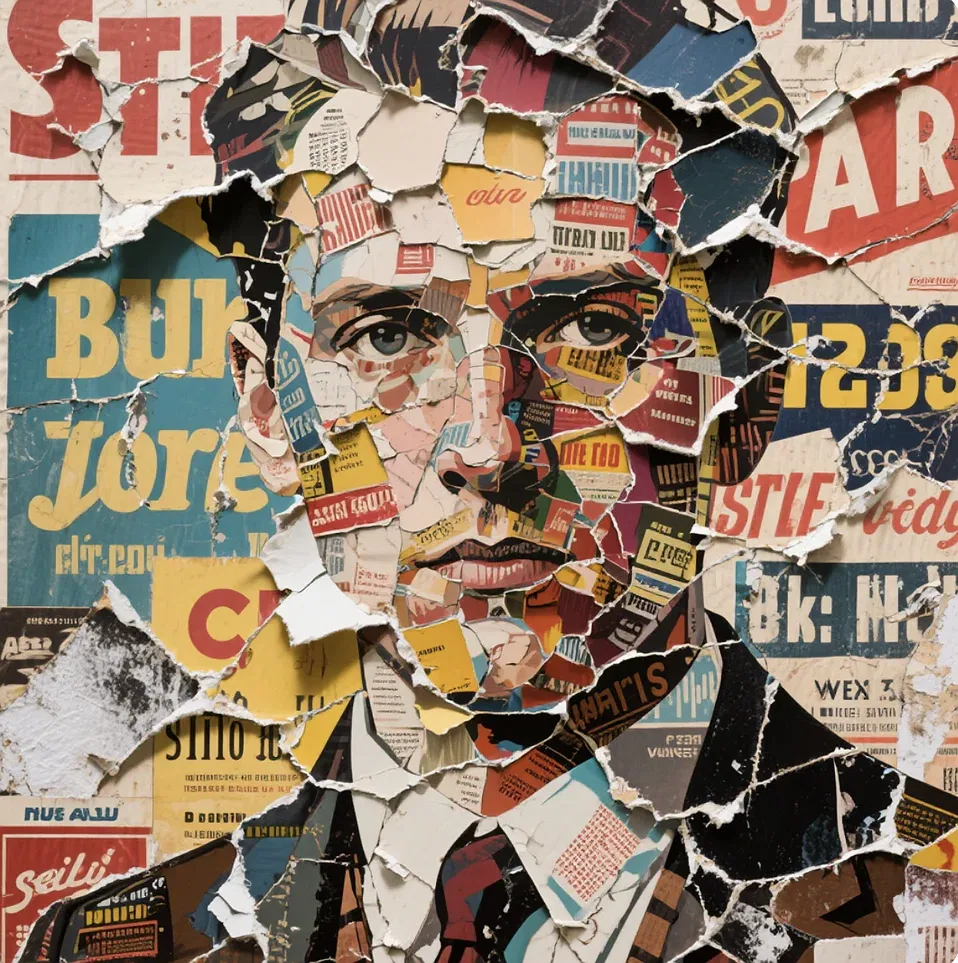
Reference: vintage torn-paper collage portrait
The reverse-analysis template turns the image into executable information: what to draw, where it is, how it is framed and lit, and which materials define the look.
Enter the reverse-engineered prompt into Seedream 5.0 to generate a new image that carries forward the reference image’s visual language. The goal is not a pixel-perfect copy, but to preserve its subject scale, centered composition, vintage palette, and torn-paper texture.
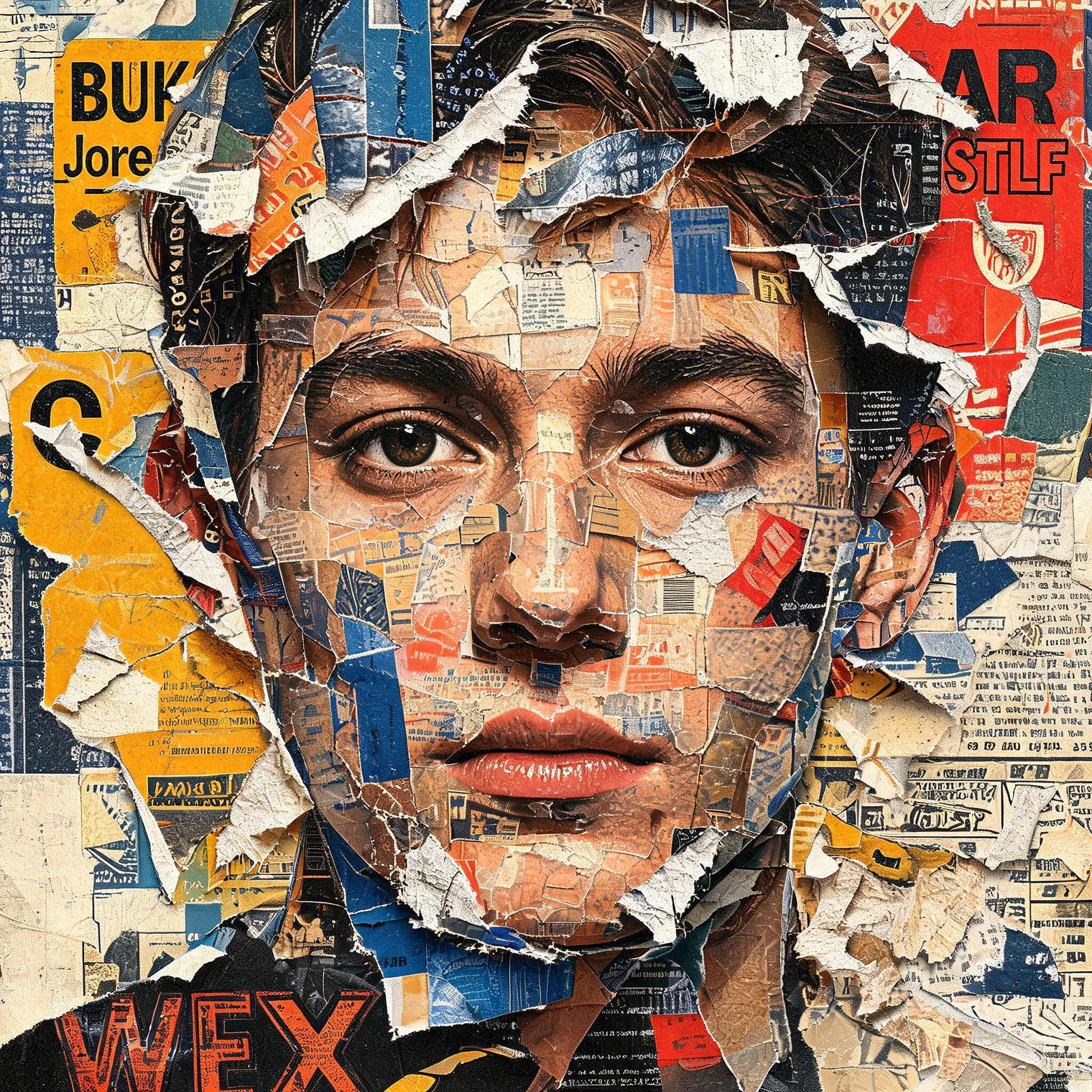
Result: a new collage portrait generated from the extracted prompt
Step 3: compare models with the same prompt
Reverse analysis solves how to describe an image; model comparison helps identify which model handles the task best. Keep the prompt and aspect ratio consistent for a useful comparison.
This test generates an AI image-tool campaign poster. The prompt defines the desk scene, laptop position, left-side negative space, brand copy, and 16:9 ratio.

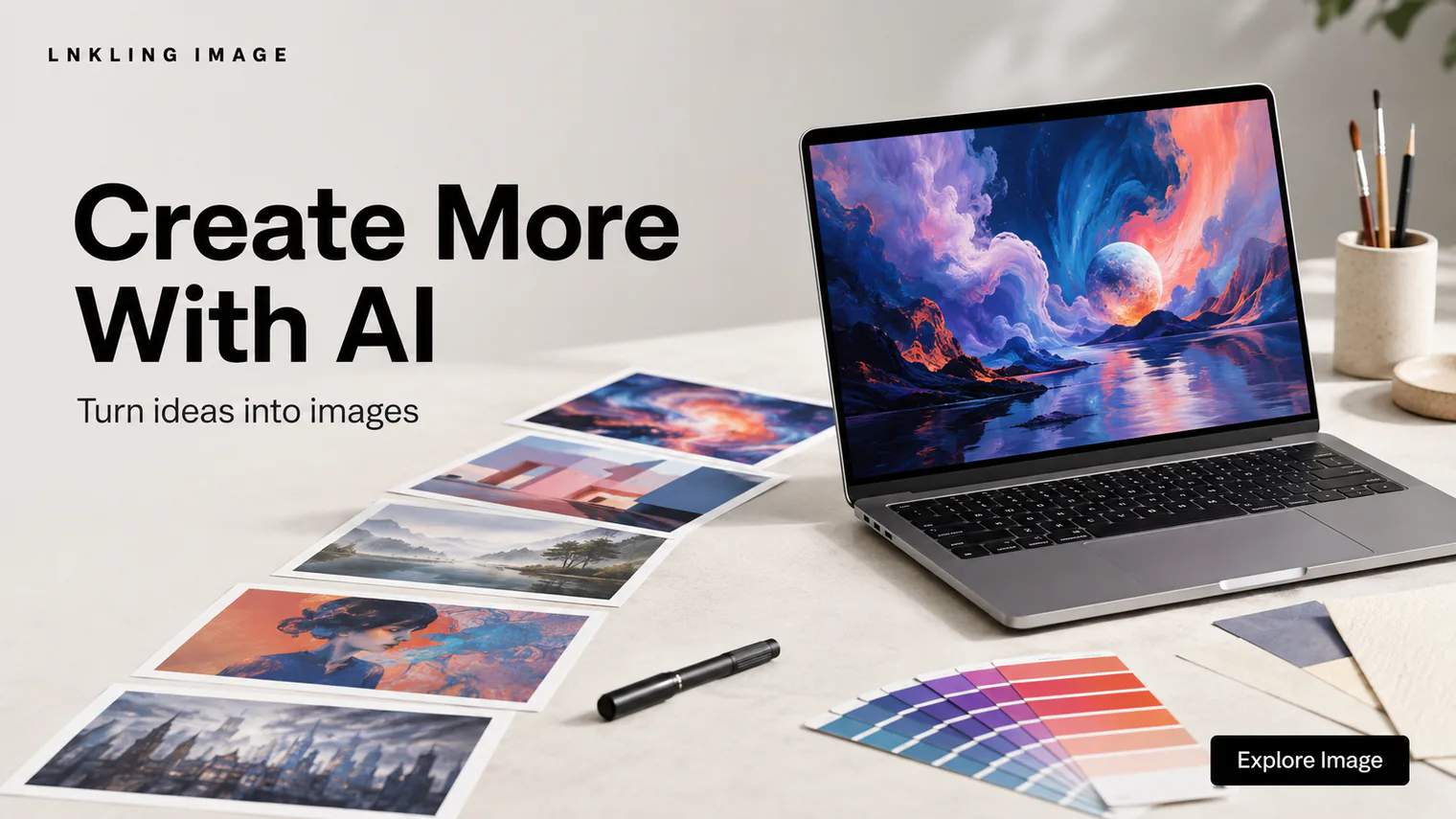
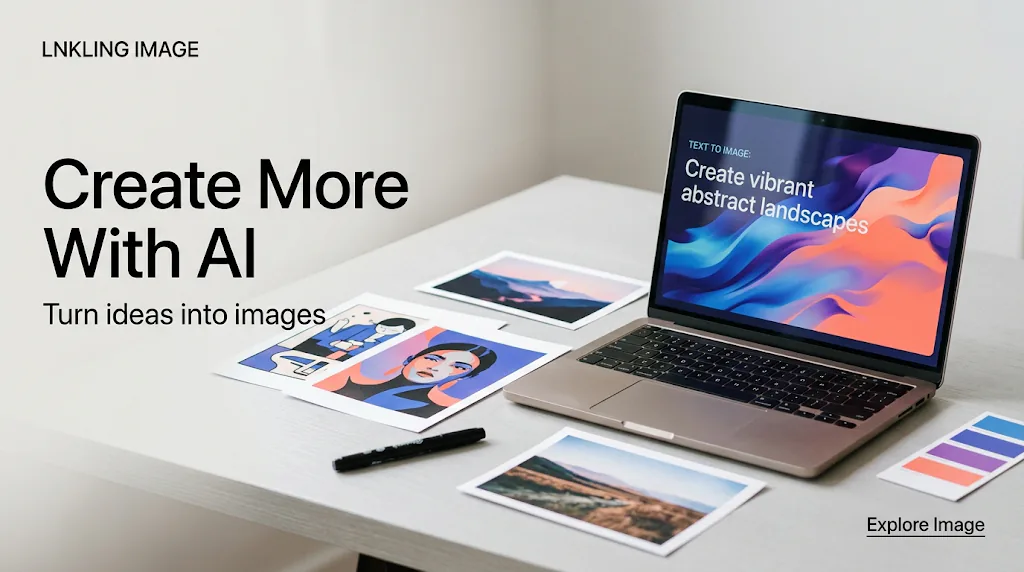
What do the three results reveal?
Even with identical wording, models interpret premium styling, natural placement, and negative space differently. Compare whether each result fulfills the intended purpose, composition, and typography—not only which looks prettiest.
How to improve reverse prompting
- Check subject count, position, scale, and camera distance first.
- Translate abstract style into observable lighting, material, grain, and color properties.
- Record reference typography separately and manually verify important brand copy.
- Fix the model, ratio, and resolution, then change only one or two variables per iteration.
- Do not aim for pixel-perfect copying; extract the visual method and create something new.
The same method works for product images, posters, portraits, illustrations, and social covers. Once a reference becomes structured visual information, it can be edited, reused, and tested across models.